

Document overview
Operator's manual for SAME iMonitor Gen4 H6 – Performance Steering from the Tractor components – System family. Digital PDF in English, 176 pages.
The original table of contents contains 45 sections and 131 detailed topics, providing a clear view of the systems and procedures covered by this edition.
- Ownership of information
- Introduction and safety
- Overview of console
- Quick setting guide
- System function
- Vehicle setup
- Implement setup
- Steering calibration
- Field menu
- Job menu
- Guideline menu
- Vehicle menu
Document details
- Brand: SAME
- Family: Tractor components – System
- Model: iMonitor Gen4 H6 – Performance Steering
- Document type: Operator's manual
- Language: English
- Pages: 176
- File size: 36.32 MiB
- Format: Digital PDF download
Compatibility
Before purchasing, verify that the model and starting serial number of your machine match iMonitor Gen4 H6 – Performance Steering.
Complete table of contents
- Ownership of information
Introduction and safety
- Glossary
Preface
- Information on compliance with communication regulations
- Homologation and safety regulations
- Radio and TV interference
General safety
- Safety Messages and Warnings
- Safety Signs
- Operator Safety
- Preparation for Operation
- Disclaimer
- Important safety information
Overview of console
- Introduction
Starting, shutting down or restarting the console
- Starting the console
- Console power LED
- Shutting down or restarting the console
Operating screen, user interface and system panel
- Operating screen
- Implement color indicators
- User Interface Description
- System Panel
Setup manager
- Menus
- Option lists
- Selection lists
- Cancel and confirm buttons
- Keyboard and number-pad
- Wizards
Home screen and shortcuts
- Home bar
- Home Builder
- Shortcuts
- Shortcut selection
- Shortcuts management
Map view
- Guidance color scheme
- Using Map View controls
- Select mode
- Map layers
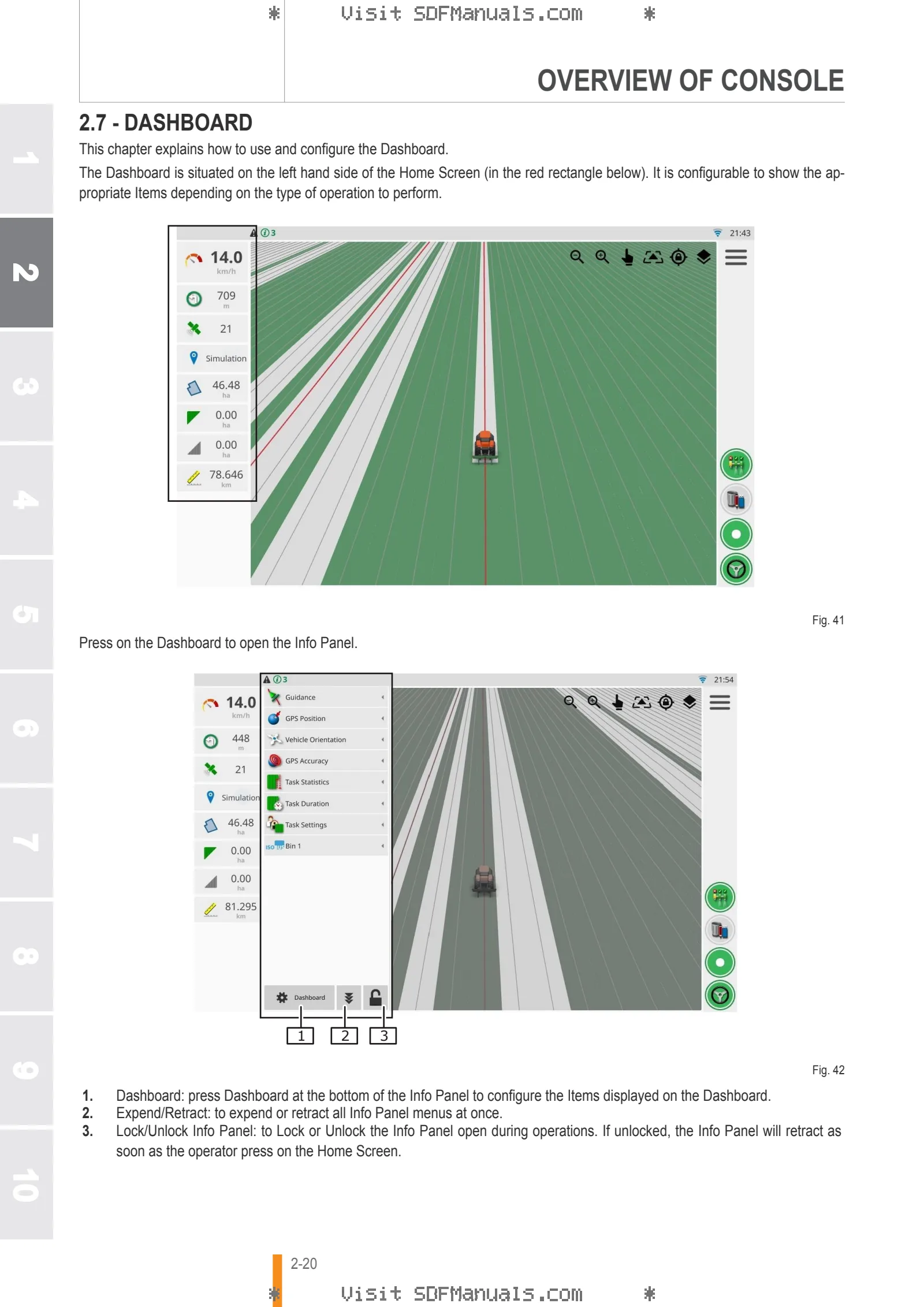
Dashboard
- Dashboard configuration
- Info Panel
Description of icons
- Main Menu
- Menu icons
- System Panel icons
- Map View controls
Quick setting guide
Quick Setup Guide
- Software update instructions
- Getting started
System function
- Setup manager
User Setup
- Language setup
- Units setup
- Time/Date setup
- Setting access level
- Setting up Audio
- Setting up the lightbar
- Setting up Map
System setup
- Setting features
- Setting up Console Identity
- Setting up GPS
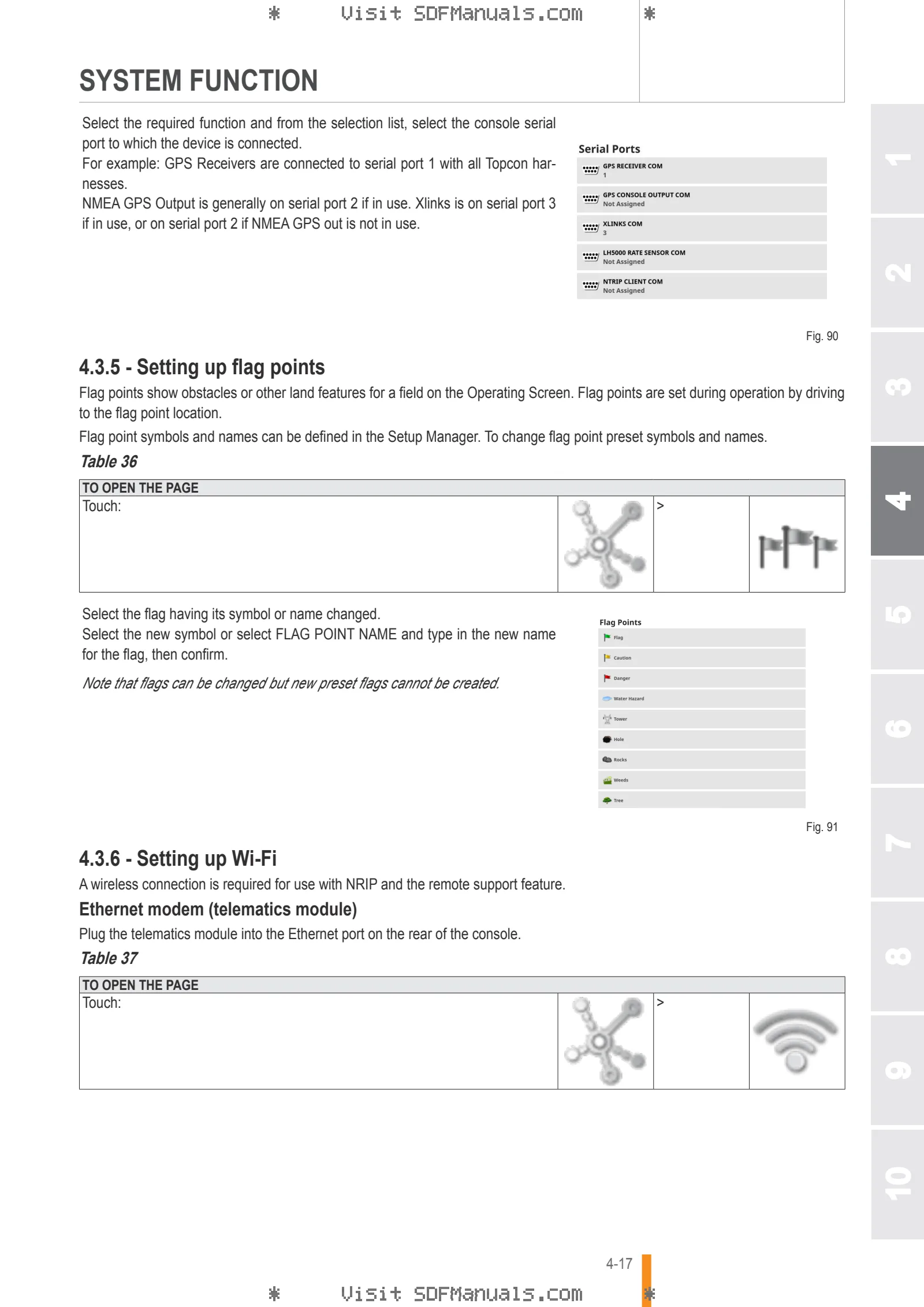
- Setting up serial ports
- Setting up flag points
- Setting up Wi-Fi
ISOBUS setup
- General
- Task controller setup
- File server setup
- Universal terminal setup
Vehicle setup
Vehicle setup
- Selecting a vehicle
- Creating a new vehicle
- Setting the vehicle geometry
- Setting up the steering controller
- Setting up GPS speed emulation
Implement setup
Implement setup
- ISOBUS implement connector type
- Selecting an implement
- Setting up a new implement
- Setting the implement geometry
- Setting up section control
- Setting timing
- Setting up the section switch
- Setting up the master switch
- Setting up Low Speed Shutoff
- ECU
- Setting up Audio
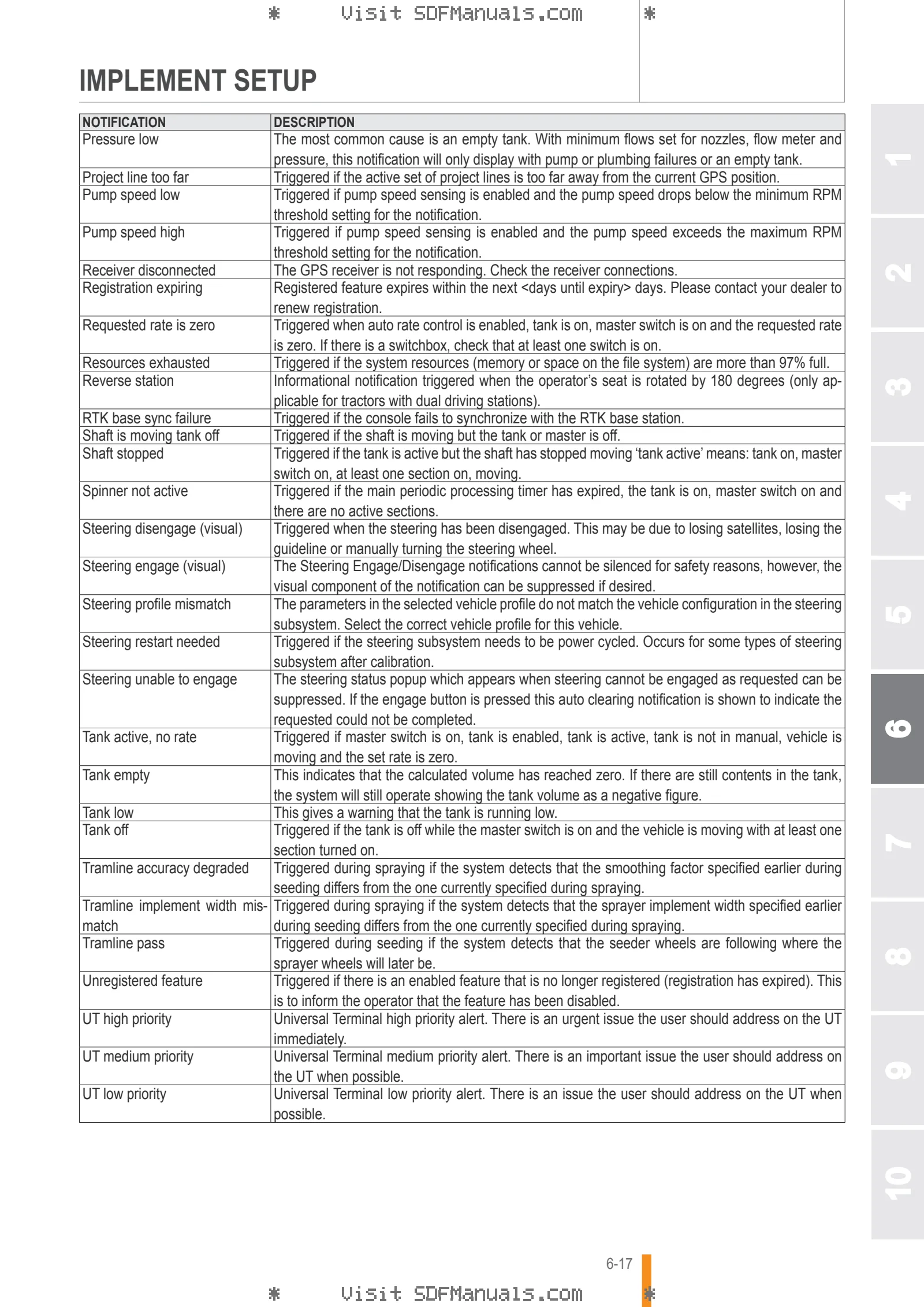
Notifications
- Notifications
- Notification window description
- Notifications list
Steering calibration
Steering calibrations
- Calibrating the compass
- Calibrating the wheel angle sensor
- Calibrating the mounting bias
- Dealing with calibration errors/notifications
Field menu
Field menu
- Selecting a field
- Creating a field
- Unloading a field
Setting flag points
- Working with flag points
Setting a new boundary
- Record a boundary
- Creating a boundary from coverage
- Creating a boundary from a shapefile
- Editing a boundary
- Removing a boundary
- Setting up a working headland
Job menu
Task Menu
- Task Button
- Selecting an existing task
- Creating a new task
- Configuring task regions
- Clearing a task
- Configuring variable rate control
Guideline menu
Guideline menu
- Guideline types
- Selecting an existing guideline
Using guidelines
- Using straight lines guidelines
- Setting AB lines
- Setting AB lines manually
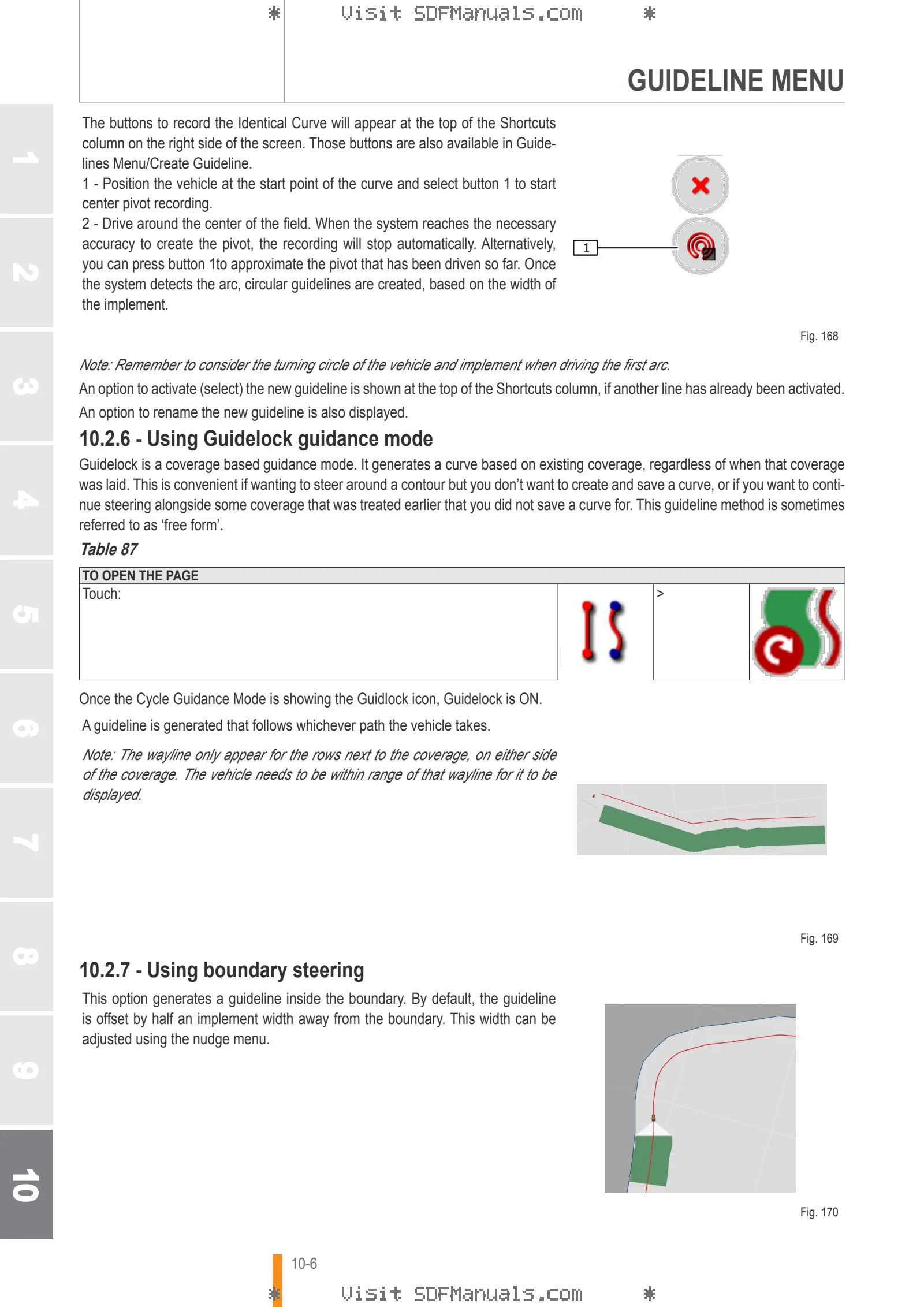
- Using identical curve guidelines
- Using center pivot guidelines
- Using Guidelock guidance mode
- Using boundary steering
Setting up tramlines
- Configure headland turns
- Headland turn notification
Guideline Groups
- Creating a guideline group
- Selecting an existing guideline group
- Importing existing guidelines
Nudge Menu
- Using nudge options
- Compensating for GPS drift
- Compensating correctly for GPS drift
- High accuracy correction sources
Vehicle menu
Vehicle Menu
- Select Vehicle
- Auto steer status
- Tuning auto steer
- Engaging auto steer
- Disengaging auto steer
Implement menu
Implement menu
- Select Implement
- Configure ASC (auto section control)
- Master Switch
Inventory manager
Inventory Manager
- Exporting tasks / task data / task reports
- Understanding default file names
Universal Terminal
Universal Terminal
- Auxiliary control setup
- Assign AUX N controls to a device
- Assign AUX N functions to the console Shortcuts
Accessibility
- Accessibility