Document overview
Operator's manual for LAMBORGHINI Performance Steering from the Tractor components – System family. Digital PDF in English, 179 pages.
The original table of contents contains 19 sections and 109 detailed topics, providing a clear view of the systems and procedures covered by this edition.
- Glossary of terms
- Preface
- Information on compliance with communication regulations
- General Safety
- Important safety information
- Overview of console
- Description of user interface
- Quick setting guide
- Region and User settings
- System function
- Vehicle setup
- Implement setup
Document details
- Brand: LAMBORGHINI
- Family: Tractor components – System
- Model: Performance Steering
- Document type: Operator's manual
- Language: English
- Pages: 179
- File size: 12.97 MiB
- Format: Digital PDF download
Compatibility
Before purchasing, verify that the model and starting serial number of your machine match Performance Steering.
Complete table of contents
- Glossary of terms
- Preface
- Information on compliance with communication regulations
- General Safety
- Important safety information
Overview of console
- Introduction
- Description of icons
- Starting and resetting the console
- Shutting down the console
- Using the bottom console buttons
- Interpreting LED lights
Description of user interface
- Switching between Settings and Operations screens
- Settings screen controls
- Operations screen controls
Quick setting guide
- Software update instructions
- Introductory guide
Region and User settings
- Region settings
- Lightbar setup
- Environment configuration
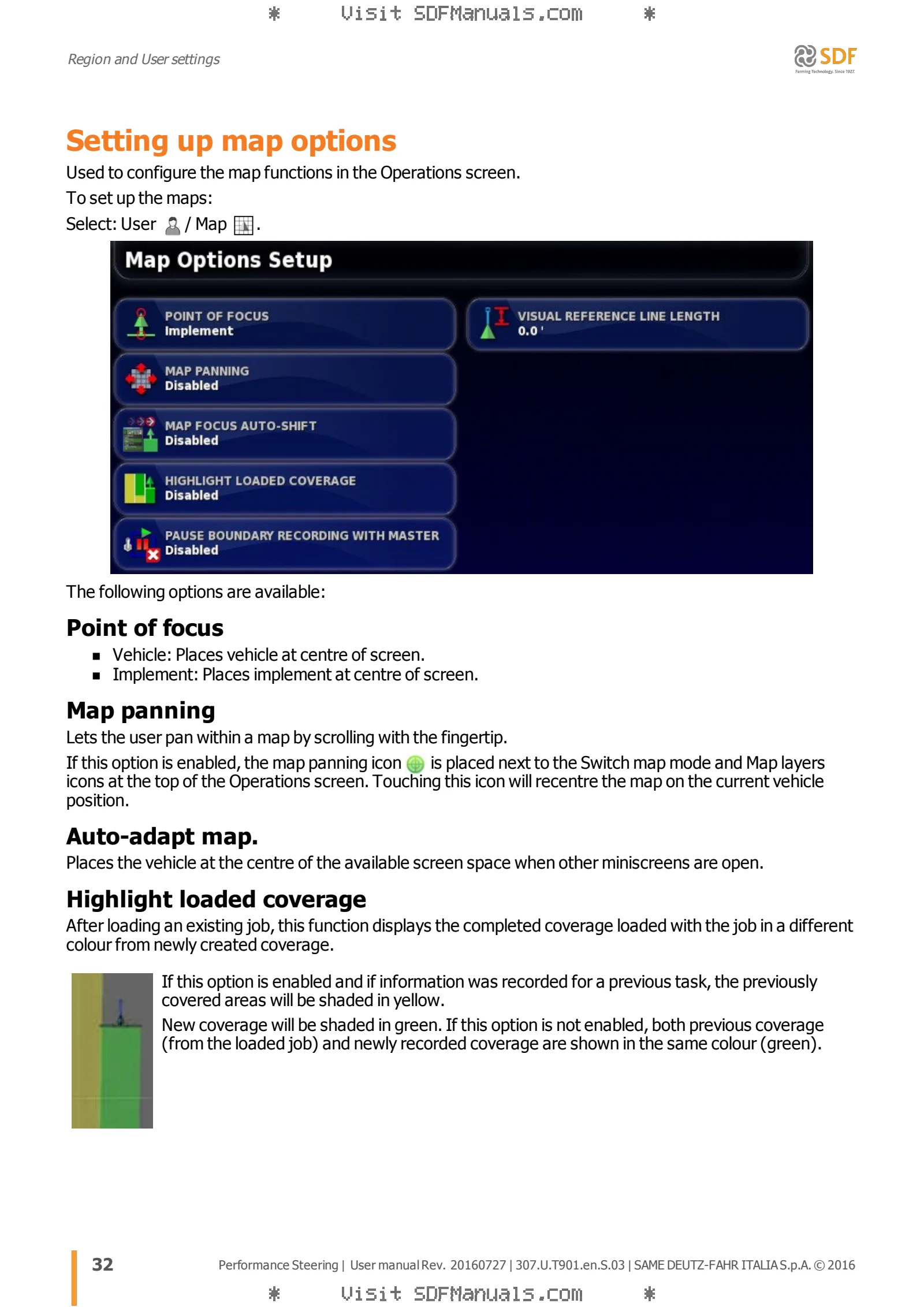
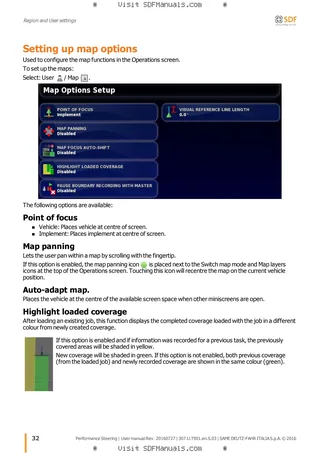
- Setting up map options
- Setting access level
- User controls configuration
System function
- Function configuration
- Console configuration
- Guidance system configuration
- Implement setup
- Xlink configuration
- VDC configuration
- Configuring quick start function
- Receiver setup
- GPS correction source configuration
- Output configuration
- Radar setup
- Setting up serial ports
- Alarm settings
- Description of alarm window
- Alarms list
- Setting flag points
- Universal terminal / ISOBUS configuration
- Universal terminal configuration
- Configuring task controller
- Auxiliary control configuration
- Configuring utilities
Vehicle setup
- Selecting a vehicle
- Creating a new vehicle
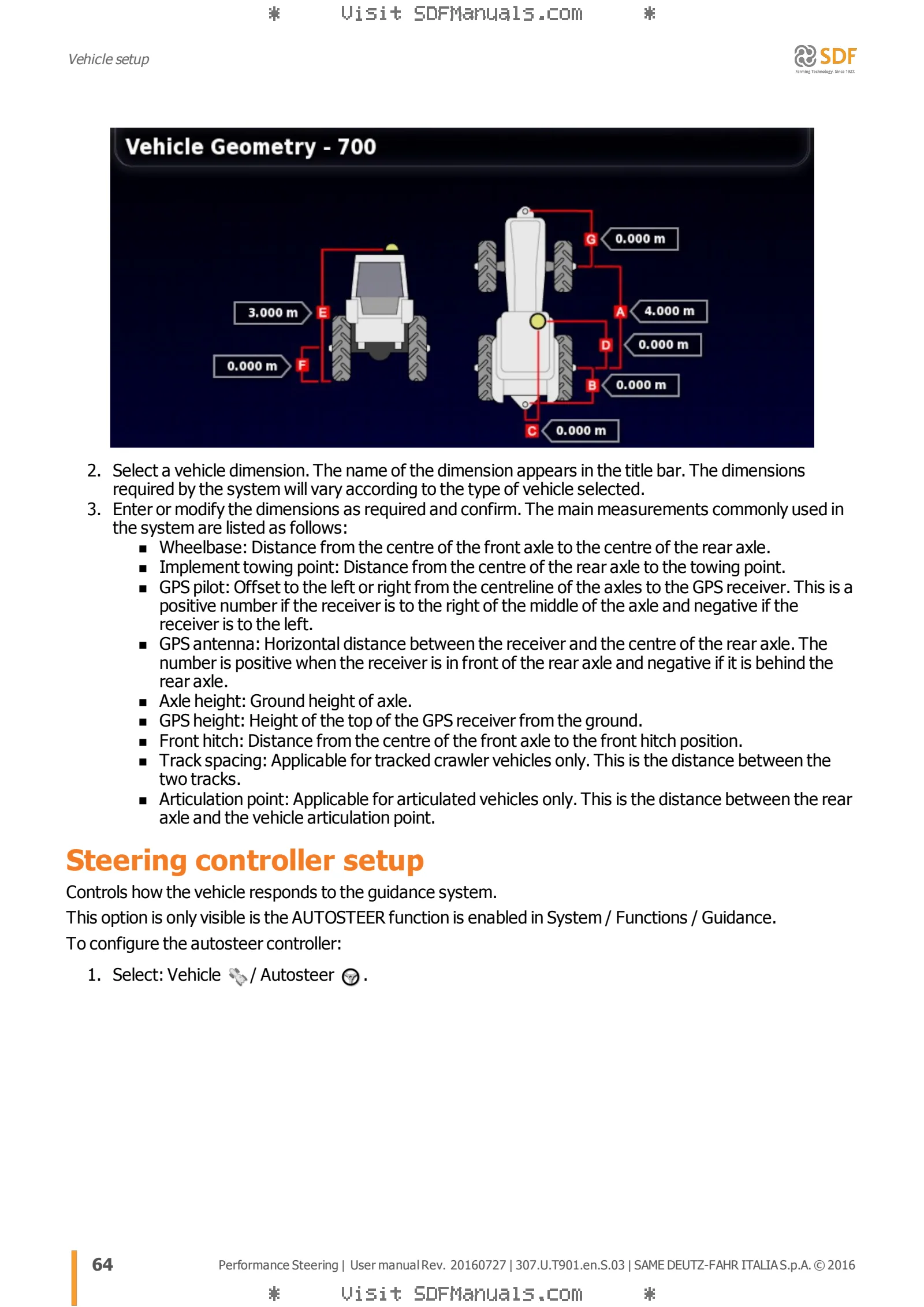
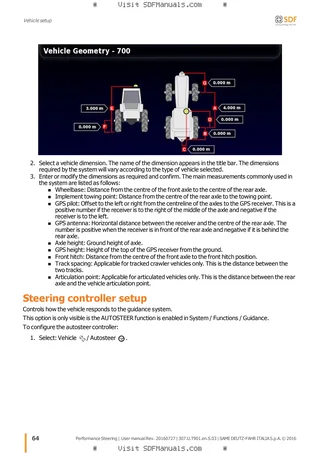
- Vehicle geometry configuration
- Steering controller setup
- Selecting vehicle antenna
Implement setup
- Selecting an implement
- Setting up a new implement
- Implement geometry configuration
- Section control setup
- Configuring master switch
- Configuration GPS speed emulation
Product configuration
- Setting up the product database
Basic information on the Operations screen
- Using miniscreens
- Viewing system information
- Viewing the guidance system
- Viewing GPS information
- Viewing diagnostics
- Viewing job information
- Monitoring using the dashboard
- Storing information about jobs
- Colour codes and operating status
- Understanding default file names
Steering calibration
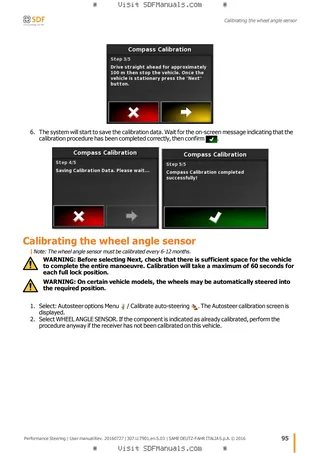
- Calibrating the compass
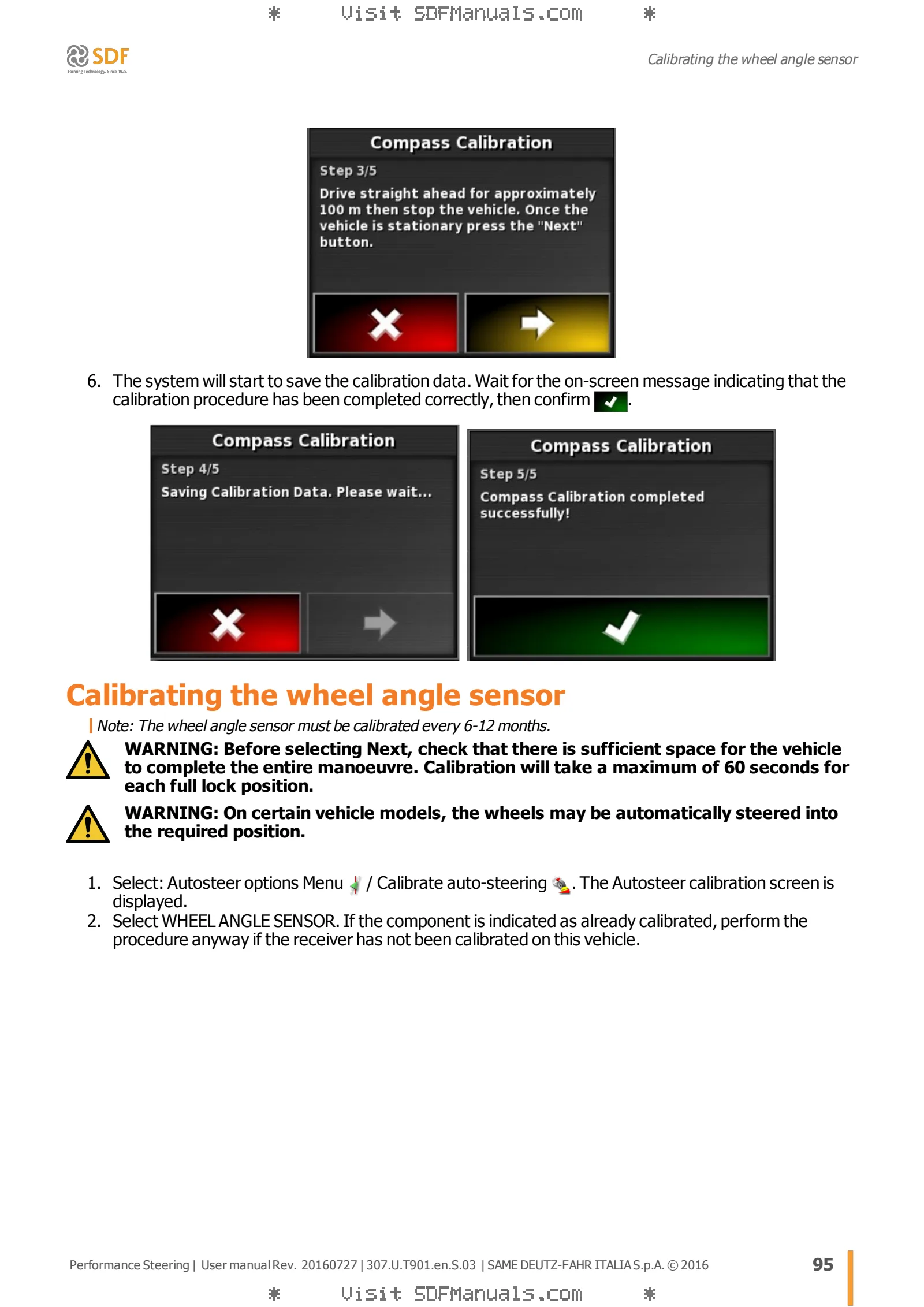
- Calibrating the wheel angle sensor
- Mounting bias calibration
- Resolving calibration errors/alarms
Field menu
- Creating a client / farm / field
- Selecting a client / farm / field
- Setting a new boundary
- Working headland setting
- Setting flag points
- Unloading a field
Job menu
- Creating a new job
- Selecting an existing job
- Job data logging
- Export a job report
- Deleting a job
- Using variable rate control
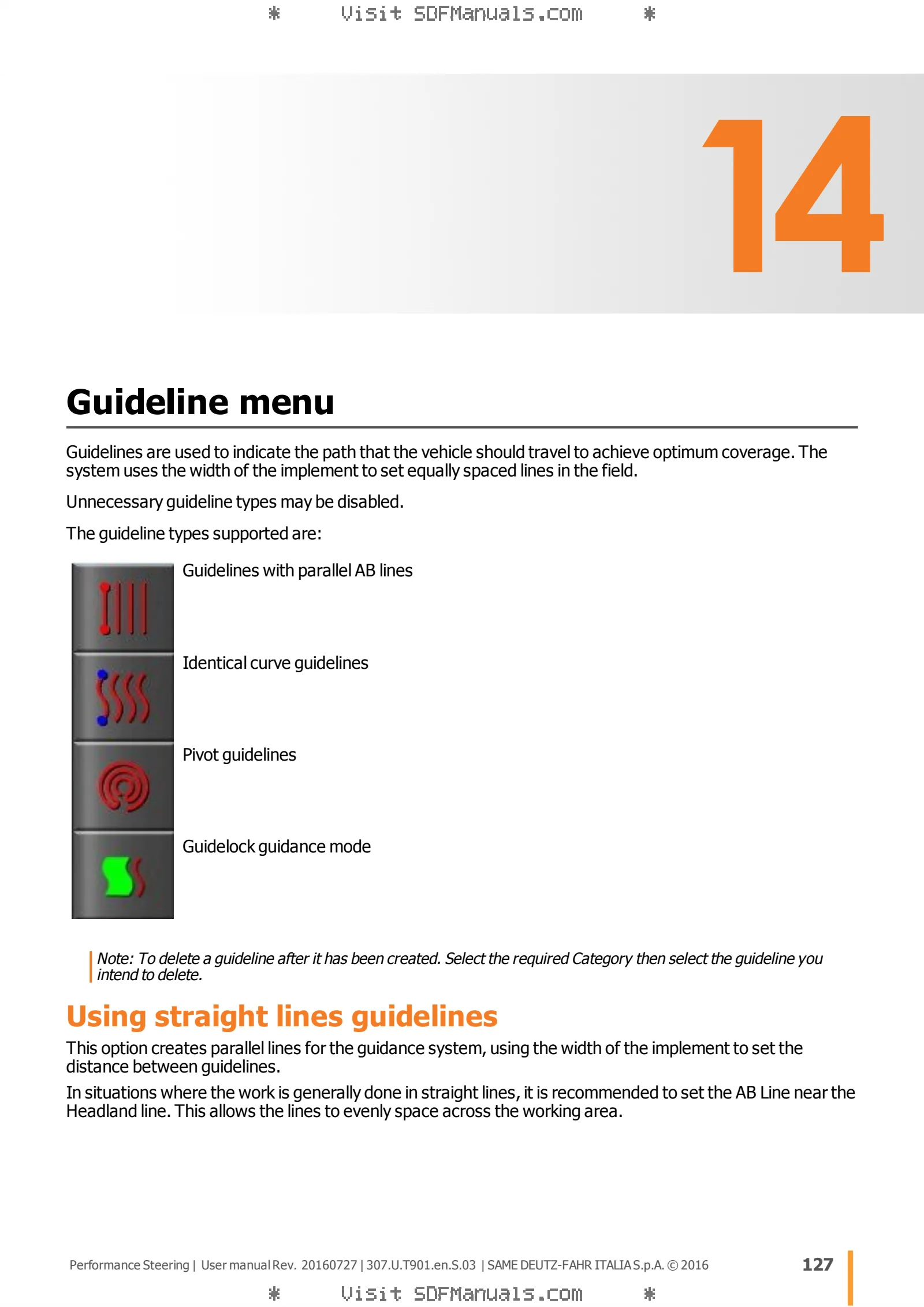
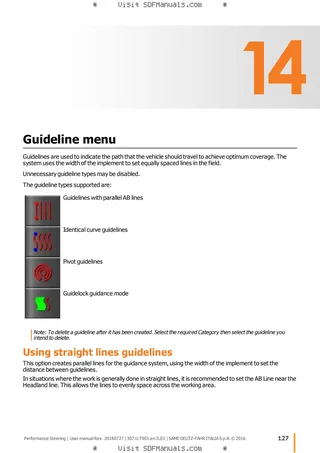
Guideline menu
- Using straight lines guidelines
- Using identical curve guidelines
- Using pivot guidelines
- Using Guidelock guidance mode
- Selecting an existing guideline
Autosteer
- Autosteer status
- Autosteer fine tuning
- Engaging the autosteer function
- Disengaging the autosteer function
Nudge menu
- Using nudge options
- Compensating for GPS drift
Additional features enabled
- Using auto section control
- Using the universal terminal (ISOBUS)
- Using AgJunction
- Using File transfer
- Using the weather station
Inventory manager
- Search categories
- Search and export jobs
Task data menu
- Importing/selecting task data files
- Create a new task
- Select an existing task
- Editing task data files
- Defining variable / fixed rate
- Running a task
- Exporting task data files
Appendices
- Common error messages
- Wireless connection problems
- Technical Information